People and invitations
Add approved organization members, manage invitations, and control account status from one place.
Identity and access control plane
ShinHQ Platform is the secure B2B control plane through which authorized clinic and medical-tourism agency teams manage people, permissions, applications, and programmatic access to ShinHQ services.
ShinHQ Platform
Organization administrators use ShinHQ Platform to decide who and what can access enabled applications and APIs. Human users and service accounts receive only the roles, scopes, and permissions required for their work.
Add approved organization members, manage invitations, and control account status from one place.
Assign access at organization, project, application, or workspace scope according to each team member’s responsibilities.
Create client credentials for backend systems and integrations without sharing a human user account.
Grant least-privilege access to permission domains such as Communications and Sharing, with room for additional platform services.
Platform administration
The same administration layer governs team membership, scoped application access, and service accounts used by backend integrations.
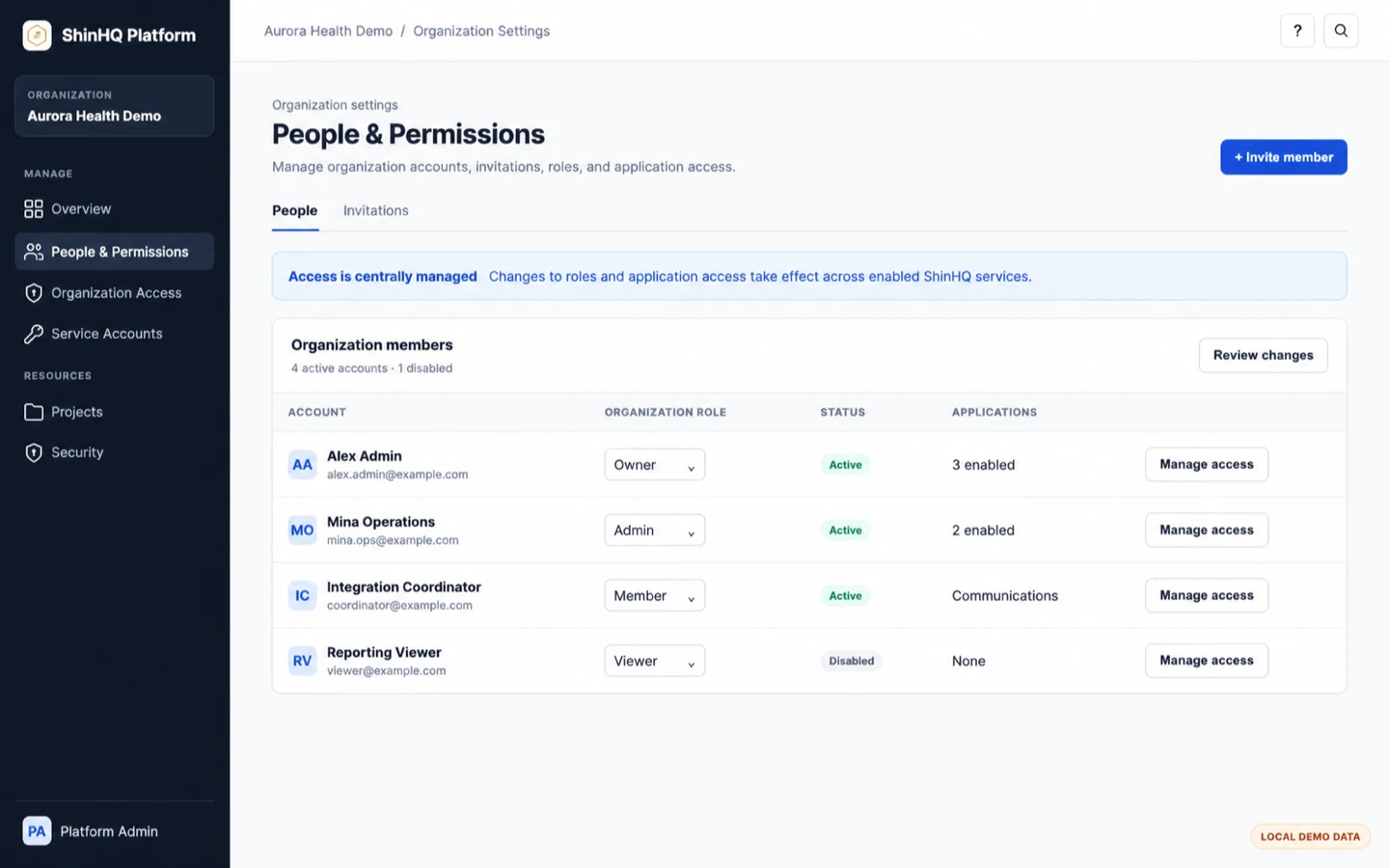
Review members and invitations, change organization roles, disable access, and manage the applications available to each person.
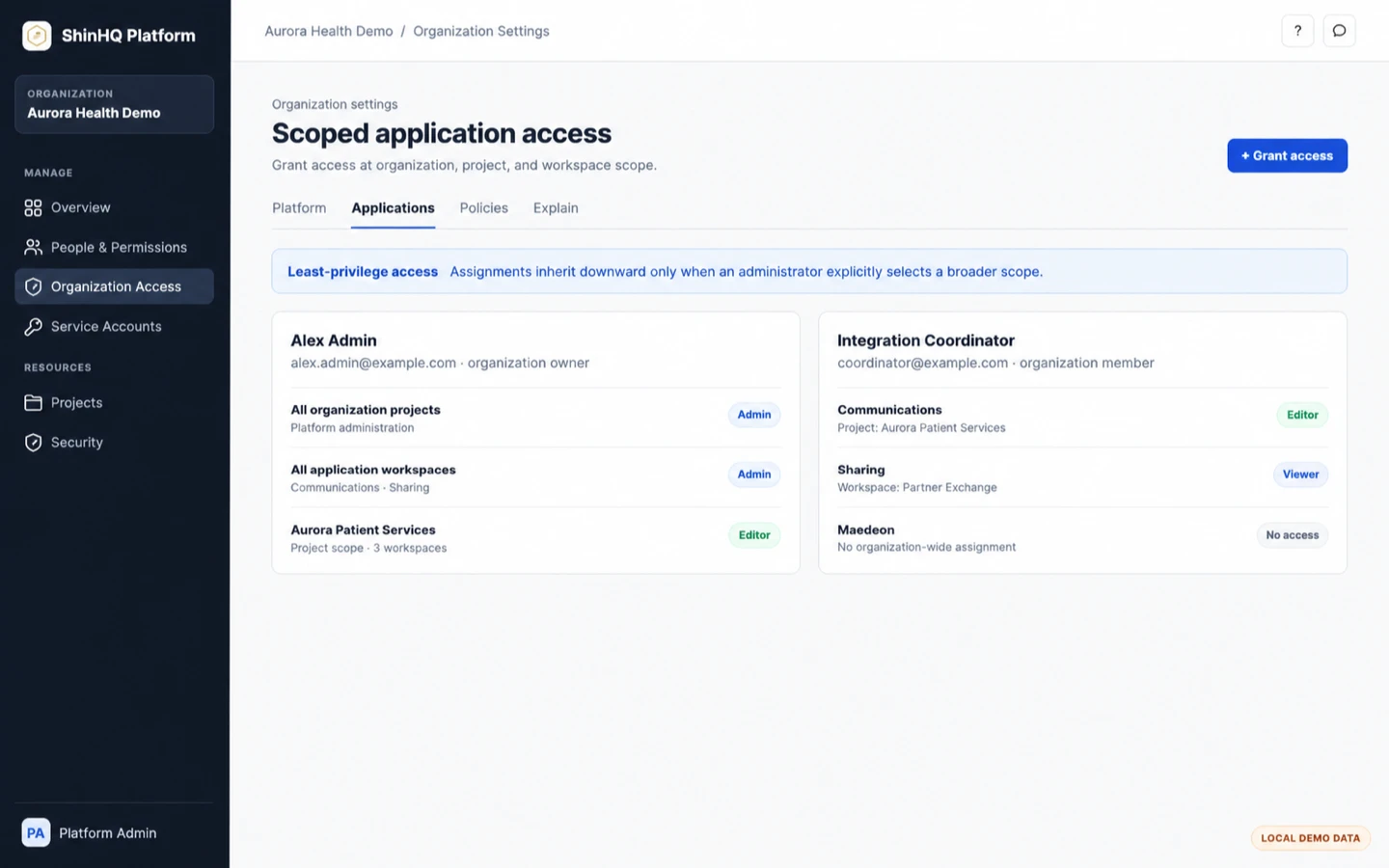
Grant organization-wide or project-specific access so each person can work only in the applications and workspaces they need.
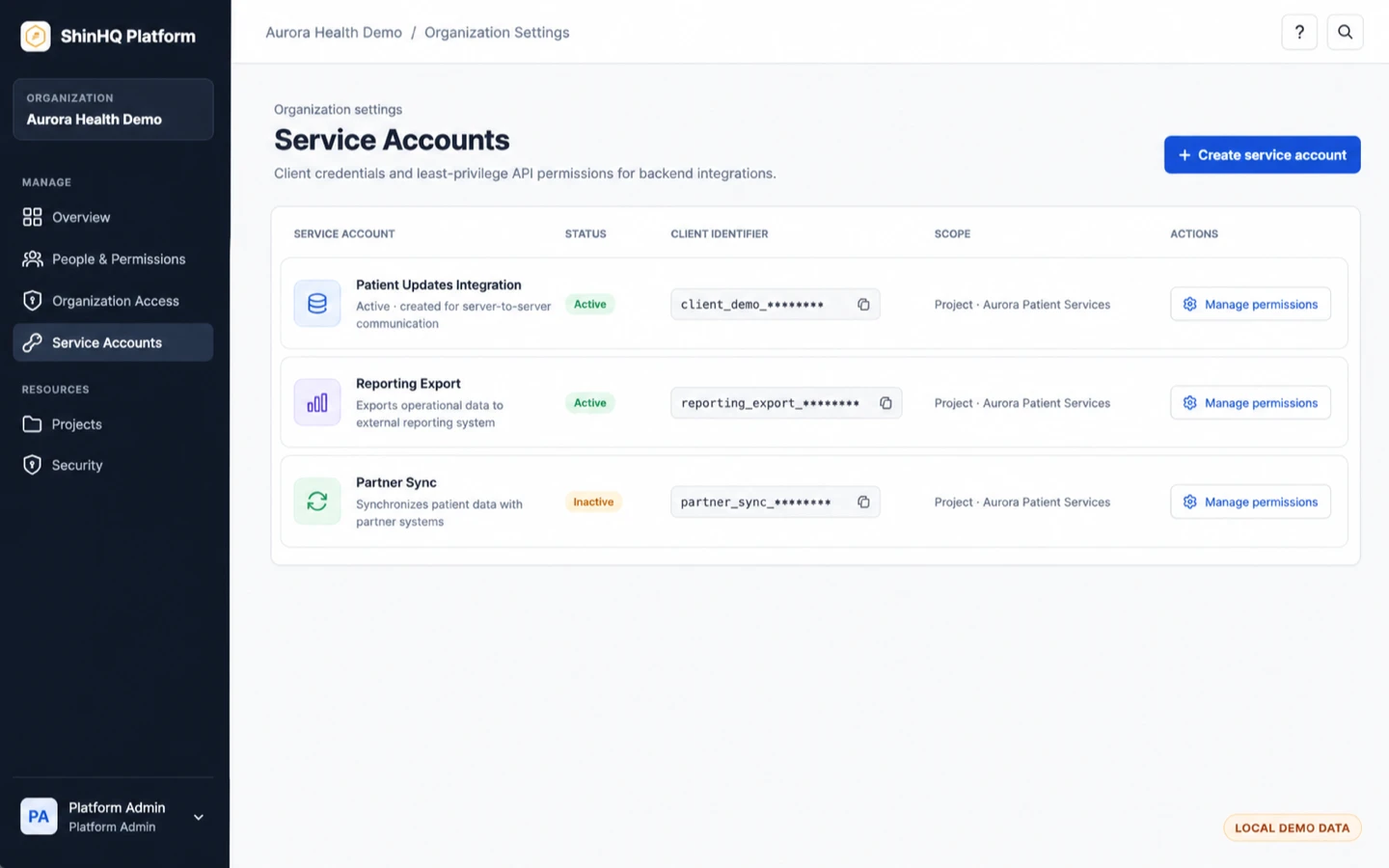
Create and manage client credentials, scopes, status, and permissions for backend integrations.
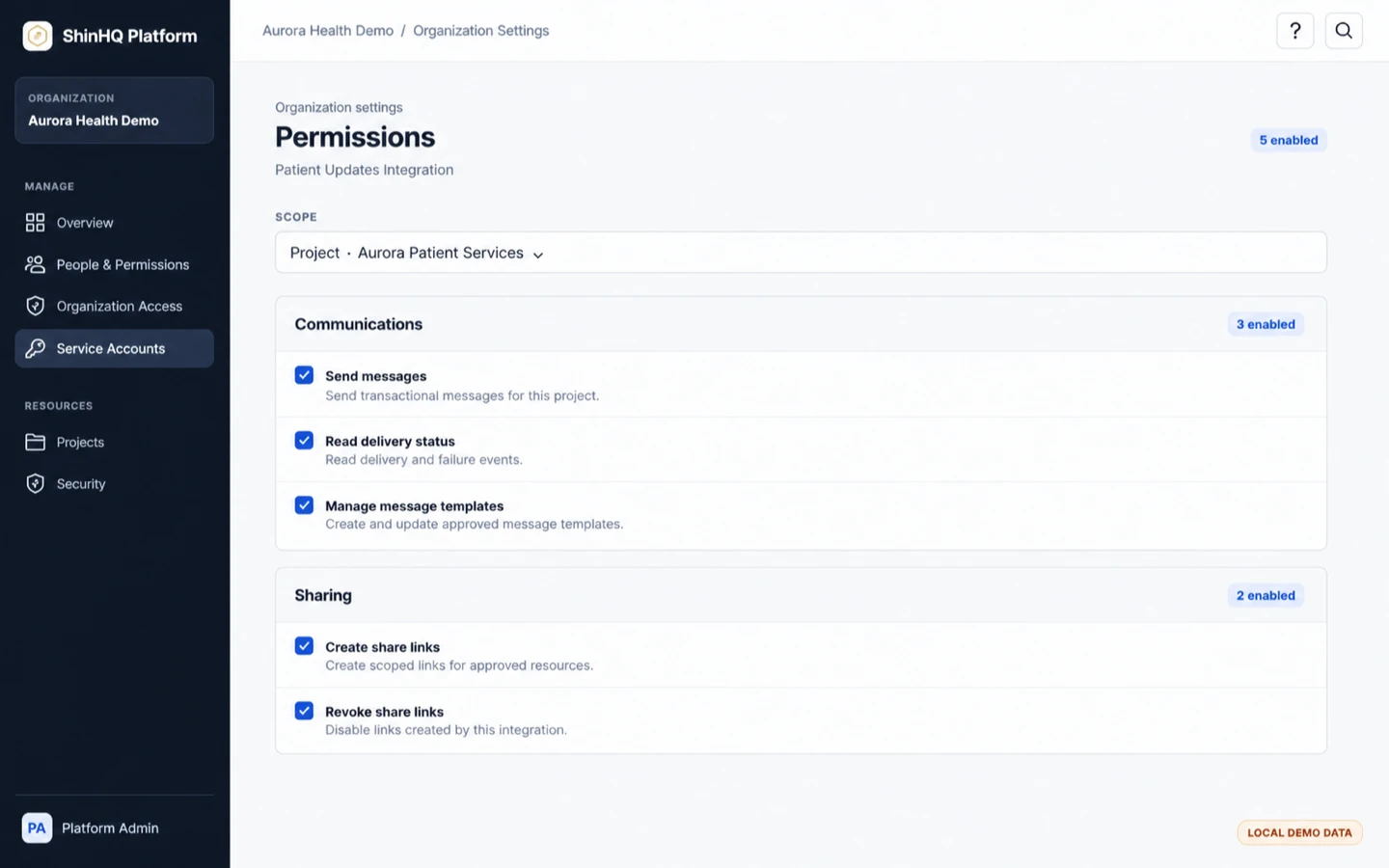
Select granular Communications, Sharing, and related permissions for a service account within a specific scope.
ShinHQ Platform
ShinHQ Platform provides shared identity, organization membership, invitations, and access controls. Authorized users then enter the applications their organization has enabled.

International patient operations workspace
Maedeon is the operational workspace clinics and medical-tourism agencies use to manage patient enquiries, bookings, messages, documents, and partner coordination.
Access is granted through ShinHQ Platform invitations, organization membership, and permissions.
Sign-in and identity verification
Authorized users sign in through an identity provider approved for their organization. ShinHQ uses the minimum identity information needed to authenticate the user, match the correct account, and enforce invitation and application access.
Supports approved email-based identity and account access.
Supports approved account access and phone-addressed invitation verification. When a user consents, the verified Kakao phone number is compared with the invitation recipient and is not used for advertising or marketing.
Supports approved account access and phone-addressed invitation recipient matching. When a user consents, the Naver mobile number is compared with the invitation recipient and is not used for advertising, marketing, statutory identity verification, or age verification.
Google access does not request Gmail, Google Calendar, Google Drive, Google Contacts, or other Google Workspace content. Kakao and Naver phone information is optional and is used only to match a phone-addressed invitation recipient. Naver information is not used for statutory identity or age verification.